Supermarket Simulator
Supermarket Simulator requires managing stock and cleaning spills to maintain sales. i must watch for thieves and restock the truck to keep products available.
How To Play Supermarket Simulator
Click the mouse to manage shelves, and type on the keyboard to navigate the store and clean spills.
Controls and Features
Setup involves using the mouse and keyboard. No extra buttons or toggles are stated.
Tips
Small tip: clean spills and watch for thieves instead of just stocking shelves. Use the broom and mouse clicks to keep the store spotless and prevent losses.
Supermarket Simulator FAQs.
Q: How do i stop thieves in the game?
A: Watch the store closely and click on them to prevent theft.
Q: What controls do i use to clean?
A: Use the mouse to click and drag the broom over spills.
Q: How do i restock items?
A: Click the truck to refuel inventory when shelves are low.
Q: Does the game have lag issues?
A: The game runs smooth with mouse and keyboard controls.
About this game
- Supported devices
- Desktop
- Genre
- Arcade Games
- Release date
- 26 September 2024
- Latest update
- 26 September 2024
- Rating
- No ratings yet

BlackJack Simulator
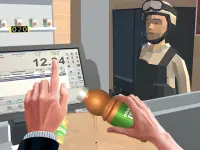
Supermarket Manager Simulator

Roulette Simulator

Noob Restaurant Simulator

Foot Surgery Simulator 2d - Foot Doctor

Bus Simulator : Ultimate 2021

Aircraft Flying Simulator

Backyard Parking 3D - Parking Master

Bus Simulator Ultimate

Slime Simulator

Future Bus Driving Simulator 2022 Bus Games

Scout Camping Adventure 3D

Pro Cycling 3D Simulator

Car Parking Simulator Free 3D

Super Car Simulator - Car Game

Car Parking Simulator Classic

Mega Car Simulator

Truck Driver Cargo Game

Supermarket Shopping Mall Family Game

Fishing Deep Sea Simulator 3D

Car Parking Simulator Free

Car Wash amp;amp; Gas Station Simulator

Extreme Car Driving Simulator-SBH

Supermarket Game