 poki.com.es
Popular Games
Last Played


Baby Panda Photo Studio
9 plays





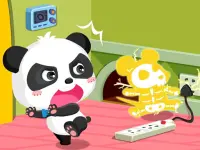

































Baby Panda Photo Studio
Baby Panda Photo Studio is a simple photo game where the objective is to select props and backdrops for clients. i found a mechanic to adjust props for each photoshoot.
How To Play Baby Panda Photo Studio
You click to choose characters, follow prompts for photoshoots, and adjust props and backgrounds Now.
Controls and Features
Inside the Setup, you click to choose characters and adjust props. The buttons let you change lighting for the shot.
Tips
Small tip: Master prop arrangement and lighting adjustments for success. You must select adorable props and scenic backdrops to assist Baby Panda.
Baby Panda Photo Studio FAQs.
Q: How do i adjust the lighting for photos? A: You adjust lighting using the in-game controls to get the perfect shot.
Q: What is the objective? A: The objective is to select adorable props and scenic backdrops for every client.
Q: What is the main mechanic? A: The main mechanic is adjusting props for each photoshoot.
About this game
- Supported devices
- Desktop
- Genre
- Arcade Games
- Release date
- 26 September 2024
- Latest update
- 26 September 2024
- Rating
- No ratings yet
Cool Information & Statistics
Baby Panda Photo Studio joined the catalog on September 26, 2024 and has received 9 plays. It is still waiting for its first player rating. Select adorable props and scenic backdrops to assist Baby Panda in this simple photo game. Find more browser games on Poki.com.es, from newly published choices in New Games and selected picks in Best Games to refreshed titles in Updated Games.