One Button Games
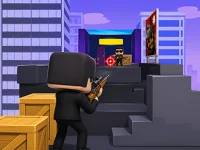


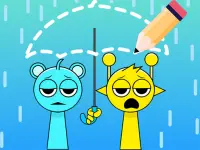












The one button collection is a broad group of browser games, rather than a strict guarantee that every card needs only one input. Its visible selection includes jumping, line puzzles, drawing, action and other themes, including some matches that are only loosely connected. Check the individual controls when a genuinely simple input scheme is important to your choice. One Action Can Still Require Careful Timing A useful example is Geometry Dash Clone. The described challenge is to guide a glowing square past sharp triangles and traps, clicking in time to…Learn moreLatest update
The one button collection is a broad group of browser games, rather than a strict guarantee that every card needs only one input. Its visible selection includes jumping, line puzzles, drawing, action and other themes, including some matches that are only loosely connected. Check the individual controls when a genuinely simple input scheme is important to your choice.
One Action Can Still Require Careful Timing
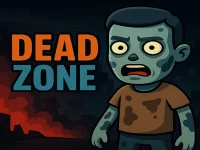
A useful example is Geometry Dash Clone. The described challenge is to guide a glowing square past sharp triangles and traps, clicking in time to jump. Mouse and keyboard are listed, but the specific mouse-click instruction is the starting point for the jump. Read any keyboard layout displayed by this version rather than transferring a shortcut from another game with a similar name.
The small number of actions does not remove the decisions. You still need to see an obstacle, judge the timing and prepare for what follows. A repeated click rhythm may be useful only while the visible spacing supports it. When that spacing changes, the next input needs a fresh decision. This makes deliberate observation more useful than pressing as often as possible.
Anticipation and Reaction Are Different Skills
In the jumping example, reaction means responding to what has just caught your attention. Anticipation means noticing an upcoming obstacle early enough to prepare. You can practise the second without assuming a particular level solution: look slightly ahead of the square, identify the next hazard and watch the result of your chosen timing. The aim is to connect an input with its outcome.
If an attempt ends, distinguish an early or late click from a failure to notice the next obstacle. Those problems suggest different changes. An unnoticed hazard calls for earlier observation; a recognized hazard with a mistimed jump calls for a timing adjustment. Keeping the two separate gives another short attempt a useful focus, even without a perfect run.
Clicking, Drawing and Aiming Are Not Interchangeable
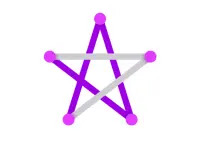
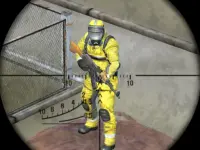
A title can emphasize a primary action while still asking for more than a single press. A drawing-labelled puzzle raises questions about a path or shape, while an aiming activity raises questions about where an action is directed. These are distinctions to check in each game's description, not claims that every visible puzzle or shooter follows a particular rule. The collection name alone cannot answer them.
Before selecting a card, ask whether you want timing, visual planning or a different kind of response. Then read how the chosen game accepts input. Clicking at a moment, dragging a path and directing an action toward a point can feel different even when they use the same mouse. This check helps you choose for the actual task rather than for the apparent simplicity of the device.
Use the Broad Collection Carefully
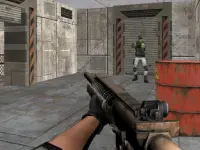
The visible page also includes escape, character and other action labels. Their presence means that this is a browsing collection with a mixed scope. It does not establish that those entries share the square-jumping mechanic, the same difficulty or a common progression. Similar words in a title should be treated as a clue to inspect, rather than as a complete description of play.
If you want a keyboard alternative, verify the exact layout inside the selected game. If you want touch input, confirm that support for the particular entry rather than infer it from a neighbouring card. A small control list is useful only when it matches the device and interaction you plan to use. The individual page is the place to resolve those details.
Give a Short Session a Clear Purpose
For the square-jumping example, choose one focus such as noticing the next triangle earlier or comparing the result of a timing change. Do not assume that holding a button produces repeated jumps, that a practice mode exists or that the music determines obstacle spacing. The Geometry Dash Clone timing guide develops observation habits and explicit hypothetical examples. Use it for that entry, and begin with fresh instructions when choosing another title from the collection.